Skip to content
  • Interlibrary Loan
  • Ask a Librarian
  • Reserve a Room
  • Law Library Blog
  • BYU Law Website
  • ☰
  • Faculty
  • Students
  • BYU Patrons
  • BYU Law Library
  • Attorneys
  • Other Visitors
  • About

Library Services & Information

Student Services

  • Interlibrary Loan
  • Ask a Librarian
  • Reserve a Room
BYU Law Library

×

  • Library Services & Information
    • Resources for Law Faculty
    • Resources for Law Students
    • Resources for BYU Patrons
    • Resources for Attorneys
    • Resources for Other Visitors
    • About the Library
  Site Search
  • Resources for Law Students
    • Library Spaces
      • Library Access and Hours for Law Students
      • Howard W. Hunter Law Library Access Policy
      • Carrels
      • Group Study Rooms and Zoom Booths
      • Quiet Study Room
      • Rex E. Lee Room
      • Library Innovation Space
      • Library Instruction Room (267)
      • 1st Floor
    • Electronic Resources
      • Access to Electronic Resources & Digital Reserves
      • Access to Xchange for Law Students
      • Final Exam Study Aids
      • Library and Technology Services Available After Graduation
    • Research Help
      • Reference Services & Research Consultations for Law Students
      • Research Consultations for Substantial Writing
      • Reference Services Hours
    • Circulation Services
      • Borrowing Privileges for Law Students
      • Recall Policy
      • Interlibrary Loan
      • Missing Books
    • Library Collection
      • Finding a Book
      • Library Floor Maps
      • Rare Books
      • BYU Law Digital Repository
      • Book Purchase Requests
    • Library Technology
      • Legal Technology Training Program
      • AI and How to Use it in Law School
      • Printers for BYU Law Students
      • Library Computers
      • Scanning
  • More Library Services
    • Schedule a Group Study Room
    • Upcoming Legal Technology Training
  • Resources for Law Faculty
  • Resources for BYU Patrons
  • Resources for Attorneys
  • Resources for Other Visitors
  • About the Library

Zoom Booth #2

Zoom Booth #2

This booth may be scheduled by selecting an available time from the grid below; or select another location by clicking on the link in the map.

3rd Floor Study Room Locations

 
West Carrel Area
Library Shelving
East Carrel Area
Library Shelving
Library Shelving
Zoom Booth #1
Zoom Booth #2
380F
380G
380H
380J
380E
380D
380C
380B
 
men's room
Stairs
 
women's room
Storage
388
1L Carrel Area


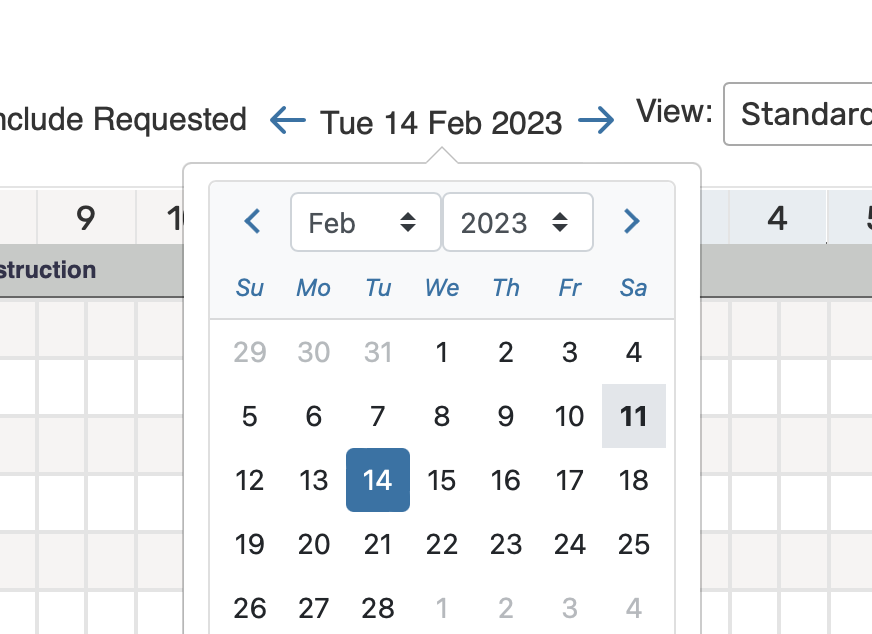
INSTRUCTIONS: Tap or click on the time open time slot you want to reserve. Enter the name of the ‘event’ you are scheduling. Adjust the end time, if desired. (The default duration is 1 hour, but you may reserve up to 2 hrs in 30-minute increments.) If you are asked to designate a category, scroll down to ‘students’. You will need to click therefresh icon at the top right corner of the grid to see your reservation after your request is complete. Use date navigation to view/reserve a room for dates not currently displayed in the grid.

NOTE: You will not be able to see the grid unless you are logged in to the calendaring system. You will need to enable pop-ups for this page in order to login and to use the express scheduler.

If you don’t see the grid after you log in, click therefresh icon. Log in to http://25live.collegenet.com/pro/byulaw to cancel a reservation you no longer want to use.

Zoom Booth #1

Zoom Booth #1

This booth may be scheduled by selecting an available time from the grid below; or select another location by clicking on the link in the map.

3rd Floor Study Room Locations

 
West Carrel Area
Library Shelving
East Carrel Area
Library Shelving
Library Shelving
Zoom Booth #1
Zoom Booth #2
380F
380G
380H
380J
380E
380D
380C
380B
 
men's room
Stairs
 
women's room
Storage
388
1L Carrel Area


INSTRUCTIONS: Tap or click on the time open time slot you want to reserve. Enter the name of the ‘event’ you are scheduling. Adjust the end time, if desired. (The default duration is 1 hour, but you may reserve up to 2 hrs in 30-minute increments.) If you are asked to designate a category, scroll down to ‘students’. You will need to click therefresh icon at the top right corner of the grid to see your reservation after your request is complete. Use date navigation to view/reserve a room for dates not currently displayed in the grid.

NOTE: You will not be able to see the grid unless you are logged in to the calendaring system. You will need to enable pop-ups for this page in order to login and to use the express scheduler.

If you don’t see the grid after you log in, click therefresh icon. Log in to http://25live.collegenet.com/pro/byulaw to cancel a reservation you no longer want to use.

Study Room 388

Study Room 388

This study room may be scheduled by selecting an available time from the grid below; or select another room to view by clicking on a room number in the map.

3rd Floor Study Room Locations

 
West Carrel Area
Library Shelving
East Carrel Area
Library Shelving
Library Shelving
Zoom Booth #1
Zoom Booth #2
380F
380G
380H
380J
380E
380D
380C
380B
 
men's room
Stairs
 
women's room
Storage
388
1L Carrel Area


INSTRUCTIONS: Tap or click on the time open time slot you want to reserve. Enter the name of the ‘event’ you are scheduling. Adjust the end time, if desired. (The default duration is 1 hour, but you may reserve up to 2 hrs in 30-minute increments.) If you are asked to designate a category, scroll down to ‘students’. You will need to click therefresh icon at the top right corner of the grid to see your reservation after your request is complete. Use date navigation to view/reserve a room for dates not currently displayed in the grid.

NOTE: You will not be able to see the grid unless you are logged in to the calendaring system. You will need to enable pop-ups for this page in order to login and to use the express scheduler.

If you don’t see the grid after you log in, click therefresh icon. Log in to http://25live.collegenet.com/pro/byulaw to cancel a reservation you no longer want to use.

Study Room 380J

Study Room 380J

This study room may be scheduled by selecting an available time from the grid below; or select another room to view by clicking on a room number in the map.

3rd Floor Study Room Locations

 
West Carrel Area
Library Shelving
East Carrel Area
Library Shelving
Library Shelving
Zoom Booth #1
Zoom Booth #2
380F
380G
380H
380J
380E
380D
380C
380B
 
men's room
Stairs
 
women's room
Storage
388
1L Carrel Area


INSTRUCTIONS: Tap or click on the open time slot you want to reserve. Enter the name of the ‘event’ you are scheduling. Adjust the end time, if desired. (The default duration is 1 hour, but you may reserve up to 2 hrs in 30-minute increments.) If you are asked to designate a category, scroll down to ‘students’. You will need to click therefresh icon at the top right corner of the grid to see your reservation after your request is complete. Use date navigation to view/reserve a room for dates not currently displayed in the grid.

NOTE: You will not be able to see the grid unless you are logged in to the calendaring system. You will need to enable pop-ups for this page in order to login and to use the express scheduler.

If you don’t see the grid after you log in, click therefresh icon. Log in to http://25live.collegenet.com/pro/byulaw to cancel a reservation you no longer want to use.

Study Room 380H

Study Room 380H

This study room may be scheduled by selecting an available time from the grid below; or select another room to view by clicking on a room number in the map.

3rd Floor Study Room Locations

 
West Carrel Area
Library Shelving
East Carrel Area
Library Shelving
Library Shelving
Zoom Booth #1
Zoom Booth #2
380F
380G
380H
380J
380E
380D
380C
380B
 
men's room
Stairs
 
women's room
Storage
388
1L Carrel Area


INSTRUCTIONS: Tap or click on the open time slot you want to reserve. Enter the name of the ‘event’ you are scheduling. Adjust the end time, if desired. (The default duration is 1 hour, but you may reserve up to 2 hrs in 30-minute increments.) If you are asked to designate a category, scroll down to ‘students’. You will need to click therefresh icon at the top right corner of the grid to see your reservation after your request is complete. Use date navigation to view/reserve a room for dates not currently displayed in the grid.

NOTE: You will not be able to see the grid unless you are logged in to the calendaring system. You will need to enable pop-ups for this page in order to login and to use the express scheduler.

If you don’t see the grid after you log in, click therefresh icon. Log in to http://25live.collegenet.com/pro/byulaw to cancel a reservation you no longer want to use.

Study Room 380G

Study Room 380G

This study room may be scheduled by selecting an available time from the grid below; or select another room to view by clicking on a room number in the map.

3rd Floor Study Room Locations

 
West Carrel Area
Library Shelving
East Carrel Area
Library Shelving
Library Shelving
Zoom Booth #1
Zoom Booth #2
380F
380G
380H
380J
380E
380D
380C
380B
 
men's room
Stairs
 
women's room
Storage
388
1L Carrel Area


INSTRUCTIONS: Tap or click on the open time slot you want to reserve. Enter the name of the ‘event’ you are scheduling. Adjust the end time, if desired. (The default duration is 1 hour, but you may reserve up to 2 hrs in 30-minute increments.) If you are asked to designate a category, scroll down to ‘students’. You will need to click therefresh icon at the top right corner of the grid to see your reservation after your request is complete. Use date navigation to view/reserve a room for dates not currently displayed in the grid.

NOTE: You will not be able to see the grid unless you are logged in to the calendaring system. You will need to enable pop-ups for this page in order to login and to use the express scheduler.

If you don’t see the grid after you log in, click therefresh icon. Log in to http://25live.collegenet.com/pro/byulaw to cancel a reservation you no longer want to use.

Study Room 380F

Study Room 380F

This study room may be scheduled by selecting an available time from the grid below; or select another room to view by clicking on a room number in the map.

3rd Floor Study Room Locations

 
West Carrel Area
Library Shelving
East Carrel Area
Library Shelving
Library Shelving
Zoom Booth #1
Zoom Booth #2
380F
380G
380H
380J
380E
380D
380C
380B
 
men's room
Stairs
 
women's room
Storage
388
1L Carrel Area


INSTRUCTIONS: Tap or click on the open time slot you want to reserve. Enter the name of the ‘event’ you are scheduling. Adjust the end time, if desired. (The default duration is 1 hour, but you may reserve up to 2 hrs in 30-minute increments.) If you are asked to designate a category, scroll down to ‘students’. You will need to click therefresh icon at the top right corner of the grid to see your reservation after your request is complete. Use date navigation to view/reserve a room for dates not currently displayed in the grid.

NOTE: You will not be able to see the grid unless you are logged in to the calendaring system. You will need to enable pop-ups for this page in order to login and to use the express scheduler.

If you don’t see the grid after you log in, click therefresh icon. Log in to http://25live.collegenet.com/pro/byulaw to cancel a reservation you no longer want to use.

Study Room 380E

Study Room 380E

This study room may be scheduled by selecting an available time from the grid below; or select another room to view by clicking on a room number in the map.

3rd Floor Study Room Locations

 
West Carrel Area
Library Shelving
East Carrel Area
Library Shelving
Library Shelving
Zoom Booth #1
Zoom Booth #2
380F
380G
380H
380J
380E
380D
380C
380B
 
men's room
Stairs
 
women's room
Storage
388
1L Carrel Area


INSTRUCTIONS: Tap or click on the open time slot you want to reserve. Enter the name of the ‘event’ you are scheduling. Adjust the end time, if desired. (The default duration is 1 hour, but you may reserve up to 2 hrs in 30-minute increments.) If you are asked to designate a category, scroll down to ‘students’. You will need to click therefresh icon at the top right corner of the grid to see your reservation after your request is complete. Use date navigation to view/reserve a room for dates not currently displayed in the grid.

NOTE: You will not be able to see the grid unless you are logged in to the calendaring system. You will need to enable pop-ups for this page in order to login and to use the express scheduler.

If you don’t see the grid after you log in, click therefresh icon. Log in to http://25live.collegenet.com/pro/byulaw to cancel a reservation you no longer want to use.

Study Room 380D

Study Room 380D

This study room may be scheduled by selecting an available time from the grid below; or select another room to view by clicking on a room number in the map.

3rd Floor Study Room Locations

 
West Carrel Area
Library Shelving
East Carrel Area
Library Shelving
Library Shelving
Zoom Booth #1
Zoom Booth #2
380F
380G
380H
380J
380E
380D
380C
380B
 
men's room
Stairs
 
women's room
Storage
388
1L Carrel Area


INSTRUCTIONS: Tap or click on the open time slot you want to reserve. Enter the name of the ‘event’ you are scheduling. Adjust the end time, if desired. (The default duration is 1 hour, but you may reserve up to 2 hrs in 30-minute increments.) If you are asked to designate a category, scroll down to ‘students’. You will need to click therefresh icon at the top right corner of the grid to see your reservation after your request is complete. Use date navigation to view/reserve a room for dates not currently displayed in the grid.

NOTE: You will not be able to see the grid unless you are logged in to the calendaring system. You will need to enable pop-ups for this page in order to login and to use the express scheduler.

If you don’t see the grid after you log in, click therefresh icon. Log in to http://25live.collegenet.com/pro/byulaw to cancel a reservation you no longer want to use.

Study Room 380C

Study Room 380C

This study room may be scheduled by selecting an available time from the grid below; or select another room to view by clicking on a room number in the map.

3rd Floor Study Room Locations

 
West Carrel Area
Library Shelving
East Carrel Area
Library Shelving
Library Shelving
Zoom Booth #1
Zoom Booth #2
380F
380G
380H
380J
380E
380D
380C
380B
 
men's room
Stairs
 
women's room
Storage
388
1L Carrel Area


INSTRUCTIONS: Tap or click on the open time slot you want to reserve. Enter the name of the ‘event’ you are scheduling. Adjust the end time, if desired. (The default duration is 1 hour, but you may reserve up to 2 hrs in 30-minute increments.) If you are asked to designate a category, scroll down to ‘students’. You will need to click therefresh icon at the top right corner of the grid to see your reservation after your request is complete. Use date navigation to view/reserve a room for dates not currently displayed in the grid.

NOTE: You will not be able to see the grid unless you are logged in to the calendaring system. You will need to enable pop-ups for this page in order to login and to use the express scheduler.

If you don’t see the grid after you log in, click therefresh icon. Log in to http://25live.collegenet.com/pro/byulaw to cancel a reservation you no longer want to use.

Study Room 380B

Study Room 380B

This study room may be scheduled by selecting an available time from the grid below; or select another room to view by clicking on a room number in the map.

3rd Floor Study Room Locations

 
West Carrel Area
Library Shelving
East Carrel Area
Library Shelving
Library Shelving
Zoom Booth #1
Zoom Booth #2
380F
380G
380H
380J
380E
380D
380C
380B
 
men's room
Stairs
 
women's room
Storage
388
1L Carrel Area


INSTRUCTIONS: Tap or click on the open time slot you want to reserve. Enter the name of the ‘event’ you are scheduling. Adjust the end time, if desired. (The default duration is 1 hour, but you may reserve up to 2 hrs in 30-minute increments.) If you are asked to designate a category, scroll down to ‘students’. You will need to click therefresh icon at the top right corner of the grid to see your reservation after your request is complete. Use date navigation to view/reserve a room for dates not currently displayed in the grid.

NOTE: You will not be able to see the grid unless you are logged in to the calendaring system. You will need to enable pop-ups for this page in order to login and to use the express scheduler.

If you don’t see the grid after you log in, click therefresh icon. Log in to http://25live.collegenet.com/pro/byulaw to cancel a reservation you no longer want to use.

Study Room 274H

Study Room 274H

This study room may be scheduled by selecting an available time from the grid below.

INSTRUCTIONS: Tap or click on the open time slot you want to reserve. Enter the name of the ‘event’ you are scheduling. Adjust the end time, if desired. (The default duration is 1 hour, but you may reserve up to 2 hrs in 30-minute increments.) If you are asked to designate a category, scroll down to ‘students’. You will need to click therefresh icon at the top right corner of the grid to see your reservation after your request is complete. Use date navigation to view/reserve a room for dates not currently displayed in the grid.

NOTE: You will not be able to see the grid unless you are logged in to the calendaring system. You will need to enable pop-ups for this page in order to login and to use the express scheduler.

If you don’t see the grid after you log in, click therefresh icon. Log in to http://25live.collegenet.com/pro/byulaw to cancel a reservation you no longer want to use.

2nd Floor Study Room Locations

274A
274B
274C (Library Office)
274D
274E (Library Office)
274F
274G (Library Office)
274H
Reference Shelves
275
276
reference desk


Study Room 274F

Study Room 274F

This study room may be scheduled by selecting an available time from the grid below.

INSTRUCTIONS: Tap or click on the open time slot you want to reserve. Enter the name of the ‘event’ you are scheduling. Adjust the end time, if desired. (The default duration is 1 hour, but you may reserve up to 2 hrs in 30-minute increments.) If you are asked to designate a category, scroll down to ‘students’. You will need to click therefresh icon at the top right corner of the grid to see your reservation after your request is complete. Use date navigation to view/reserve a room for dates not currently displayed in the grid.

NOTE: You will not be able to see the grid unless you are logged in to the calendaring system. You will need to enable pop-ups for this page in order to login and to use the express scheduler.

If you don’t see the grid after you log in, click therefresh icon. Log in to http://25live.collegenet.com/pro/byulaw to cancel a reservation you no longer want to use.

2nd Floor Study Room Locations

274A
274B
274C (Library Office)
274D
274E (Library Office)
274F
274G (Library Office)
274H
Reference Shelves
275
276
reference desk


Study Room 274D

Study Room 274D

This study room may be scheduled by selecting an available time from the grid below.

INSTRUCTIONS: Tap or click on the open time slot you want to reserve. Enter the name of the ‘event’ you are scheduling. Adjust the end time, if desired. (The default duration is 1 hour, but you may reserve up to 2 hrs in 30-minute increments.) If you are asked to designate a category, scroll down to ‘students’. You will need to click therefresh icon at the top right corner of the grid to see your reservation after your request is complete. Use date navigation to view/reserve a room for dates not currently displayed in the grid.

NOTE: You will not be able to see the grid unless you are logged in to the calendaring system. You will need to enable pop-ups for this page in order to login and to use the express scheduler.

If you don’t see the grid after you log in, click therefresh icon. Log in to http://25live.collegenet.com/pro/byulaw to cancel a reservation you no longer want to use.

2nd Floor Study Room Locations

274A
274B
274C (Library Office)
274D
274E (Library Office)
274F
274G (Library Office)
274H
Reference Shelves
275
276
reference desk


Study Room 274B

Study Room 274B

This study room may be scheduled by selecting an available time from the grid below.

INSTRUCTIONS: Tap or click on the open time slot you want to reserve. Enter the name of the ‘event’ you are scheduling. Adjust the end time, if desired. (The default duration is 1 hour, but you may reserve up to 2 hrs in 30-minute increments.) If you are asked to designate a category, scroll down to ‘students’. You will need to click therefresh icon at the top right corner of the grid to see your reservation after your request is complete. Use date navigation to view/reserve a room for dates not currently displayed in the grid.

NOTE: You will not be able to see the grid unless you are logged in to the calendaring system. You will need to enable pop-ups for this page in order to login and to use the express scheduler.

If you don’t see the grid after you log in, click therefresh icon. Log in to http://25live.collegenet.com/pro/byulaw to cancel a reservation you no longer want to use.

2nd Floor Study Room Locations

274A
274B
274C (Library Office)
274D
274E (Library Office)
274F
274G (Library Office)
274H
Reference Shelves
275
276
reference desk


Study Room 274A

Study Room 274A

This study room may be scheduled by selecting an available time from the grid below.

INSTRUCTIONS: Tap or click on the open time slot you want to reserve. Enter the name of the ‘event’ you are scheduling. Adjust the end time, if desired. (The default duration is 1 hour, but you may reserve up to 2 hrs in 30-minute increments.) If you are asked to designate a category, scroll down to ‘students’. You will need to click therefresh icon at the top right corner of the grid to see your reservation after your request is complete. Use date navigation to view/reserve a room for dates not currently displayed in the grid.

NOTE: You will not be able to see the grid unless you are logged in to the calendaring system. You will need to enable pop-ups for this page in order to login and to use the express scheduler.

If you don’t see the grid after you log in, click therefresh icon. Log in to http://25live.collegenet.com/pro/byulaw to cancel a reservation you no longer want to use.

2nd Floor Study Room Locations

274A
274B
274C (Library Office)
274D
274E (Library Office)
274F
274G (Library Office)
274H
Reference Shelves
275
276
reference desk


Study Room 150

Study Room 150

This study room may be scheduled by selecting an available time from the grid below.

INSTRUCTIONS: Tap or click on the open time slot you want to reserve. Enter the name of the ‘event’ you are scheduling. Adjust the end time, if desired. (The default duration is 1 hour, but you may reserve up to 2 hrs in 30-minute increments.) If you are asked to designate a category, scroll down to ‘students’. You will need to click therefresh icon at the top right corner of the grid to see your reservation after your request is complete. Use date navigation to view/reserve a room for dates not currently displayed in the grid.

1st Floor Study Room Locations

Micro­forms Area
women's room
men's room
144
150
Custodial Offices


NOTE: You will not be able to see the grid unless you are logged in to the calendaring system. You will need to enable pop-ups for this page in order to login and to use the express scheduler.

If you don’t see the grid after you log in, click therefresh icon. Log in to http://25live.collegenet.com/pro/byulaw to cancel a reservation you no longer want to use.

Study Room 144

Study Room 144

This study room may be scheduled by selecting an available time from the grid below.

INSTRUCTIONS: Tap or click on the open time slot you want to reserve. Enter the name of the ‘event’ you are scheduling. Adjust the end time, if desired. (The default duration is 1 hour, but you may reserve up to 2 hrs in 30-minute increments.) If you are asked to designate a category, scroll down to ‘students’. You will need to click therefresh icon at the top right corner of the grid to see your reservation after your request is complete. Use date navigation to view/reserve a room for dates not currently displayed in the grid.

1st Floor Study Room Locations

Micro­forms Area
women's room
men's room
144
150
Custodial Offices


NOTE: You will not be able to see the grid unless you are logged in to the calendaring system. You will need to enable pop-ups for this page in order to login and to use the express schedule

If you don’t see the grid after you log in, click therefresh icon. Log in to http://25live.collegenet.com/pro/byulaw to cancel a reservation you no longer want to use.

Schedule a Group Study Room

To see the schedule for any particular study room (marked in green on the map), please click on that room number. Reserve a time from either the link in the map below or click the Reserve a Room Now button so see all availability.

3rd Floor Study Room Locations

 
West Carrel Area
Library Shelving
East Carrel Area
Library Shelving
Library Shelving
Zoom Booth #1
Zoom Booth #2
380F
380G
380H
380J
380E
380D
380C
380B
 
men's room
Stairs
 
women's room
Storage
388
1L Carrel Area


2nd Floor Study Room Locations

274A
274B
274C (Library Office)
274D
274E (Library Office)
274F
274G (Library Office)
274H
Reference Shelves
275
276
reference desk


1st Floor Study Room Locations

Micro­forms Area
women's room
men's room
144
150
Custodial Offices


Reserve a Room Now
Use date navigation to view/reserve a room for dates not currently displayed in the grid.

INSTRUCTIONS:

  1. Tap or click on the open time slot you want to reserve.
  2. Enter the name of the ‘event’ you are scheduling.
  3. Adjust the end time, if desired. (The default duration is 1 hour, but you may reserve up to 2 hours in 30-minute increments.)
  4. If you are asked to designate a category, scroll down to ‘students’.
  5. You will need to click the refresh icon at the top right corner of the grid to see your reservation after your request is complete.

If you don’t see the grid after you log in, click the refresh icon.
Log in to http://25live.collegenet.com/pro/byulaw to cancel a reservation you no longer want to use.

Please report any problems with study room scheduling to hunterlawlibrary@law.byu.edu.

As a religiously affiliated law school, the development of moral character and enlightened devotion to the rule of law are hallmarks of a BYU Law School education.

BYU Law Library, 274 JRCB
Brigham Young University
Provo, Utah 84602

Directions >

Circulation:  801-422-3593
Reference:  801-422-6658
BYU Law:  801-422-4274

Contact Us >


BYU Law Digital Library

Foreign & Int'l Law Directory

HeinOnline Alumni Access

Free & Low Cost Utah Legal Resources


Harold B. Lee Library

Renew Materials

Classic Catalog Search

Library Info Site Map

   Twitter

   Facebook

   Youtube

© Brigham Young University   |   All Rights Reserved

Privacy Policy   |   Help & Feedback